DGA Support logo
DGA Support logo

All articles

A&K/Matrix PKM & Raptor PKP Installation GuideUpdated 2 months ago

1. This is the DG PKM kit for A&K AEG PKM

article image

2. Assemble the inner barrel group just like other DG models

article image

3. Line up the front brass bolt and tighten up all the setscrews

article image

4. Remove all AEG parts from the outer barrel except the spring and the screw, and prepare to put back the inner barrel group

article image

5.  Put the inner barrel group inside the outer barrel with the original spring and lock it up. The inner barrel set will have some movement now

article image

6. Barrel group is now complete

article image

7. Remove AEG parts and keep the parts shown in the photo

article image

8. Disassemble the charging handle set for tapping M4 threads


article image

9. Some AEG parts can be left inside the bipod (shown in the picture). Remove the bottom cover from the buttstock so the tubing can be threaded through

article image

10. Drill and tap M4 threads on the charging handle

article image

11. Put back the charging handle and put on the DG charging nut

article image

2. Unscrew the cap at the rear end of the DG kit to link up the tubing, and then lock the cap again

article image

13. Put the DG kit inside the PKM body. The tubing needs to exit from the rear hole on the PKM body

article image

14. After dropping in the kit, hold the inner shaft at the bolt tank rear position and push forward the kit gently

article image

15. With proper fitment the kit will sit correctly, and you should see the 2 side holes perfectly aligned

article image

16. Use the original screws to loosely secure the kit

article image

17. Remove the bottom cover of the buttstock and thread the tubing out, then assemble the buttstock

article image

18. Because there is tubing inside, the long screw may have a hard time going in. A rod can be used to guide the screw to the correct position

article image

19. Tighten up the 2 screws of the stock, either from the top or from the bottom

article image

20. Slide the bipod set inside the PKM body. The AEG ROF controller shown can be left there attached

article image

21. Now put on the barrel

article image

22. Slide in the original locking block to lock up the barrel

article image

23. Tighten the screw to secure

article image

24. Insert the M4 setscrew to lock the barrel and the kit. Do not overtighten

article image

25. Now tighten the side screws

article image

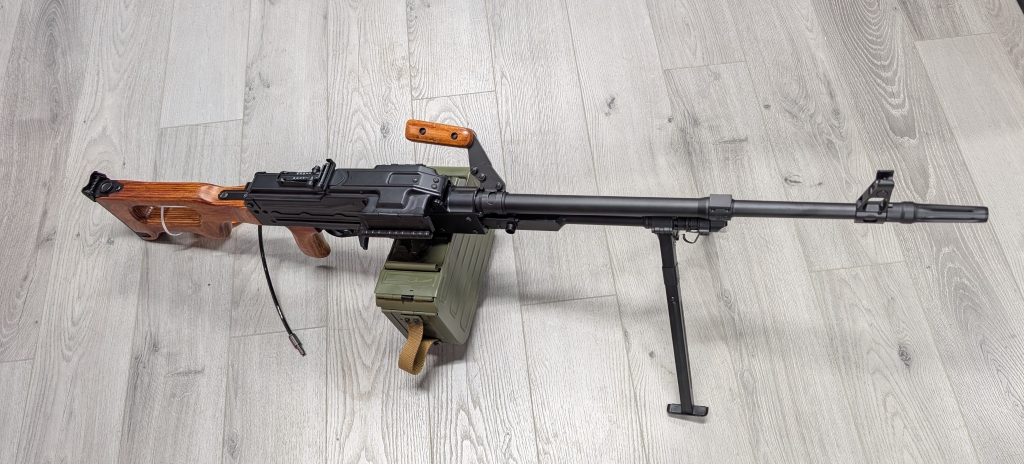
26. The DG PKM is done

article image

Was this article helpful?
Yes
No